
Find Crush and Relationship Map in Salesforce
This article is for people who already have access and need to open Crush or Relationship Map. When you finish, you can get to an Account Plan or a map from the App Launcher.
If you see nothing, you need an admin — start at I can’t see Crush or an Account Plan. This page does not cover install.
Open the app
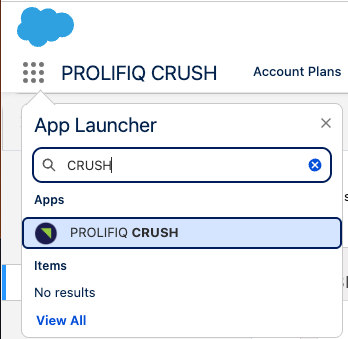
- Click the App Launcher (the nine dots).
- Search for Crush or Relationship Map.
- Crush customers typically see PROLIFIQ CRUSH.
- Relationship Map-only customers typically see a Relationship Map app or tabs on Account and Opportunity. Confirm the exact label in your org — do not wait for a Crush app if you only bought Relationship Map.
- Open the app.
Open an Account Plan (Crush)
- In Crush, open the Account Plans tab.
- Open a plan you own or were added to, or create one: Create your first Account Plan.
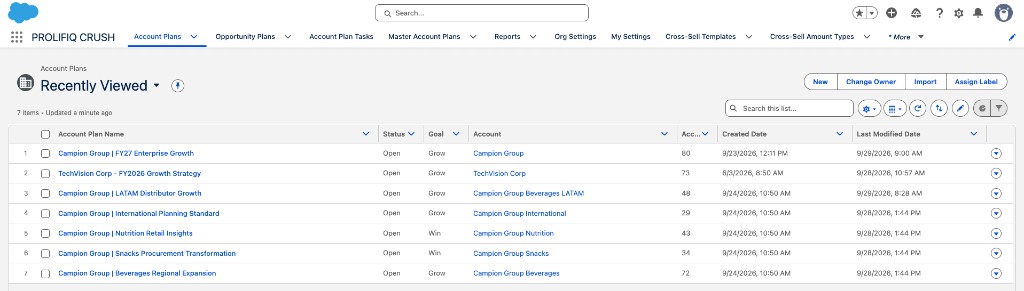
You will not see plans you are not on. That is expected. Ask the owner to add you as a team member.
Open a Relationship Map
You do not need an Account Plan.
- From an Account or Opportunity, find the Relationship Map related list or component and open or create a map.
- From an Account Plan (Crush only), open the Relationship Maps related to that plan.
Next: Create your first Relationship Map.