
Create your first Account Plan
This article is for people who use Crush. You need an Account and permission to create a plan (CRUSH Account Plan Creator or CRUSH Administrator). When you finish, you have a saved Account Plan and you know which sections to fill first.
If you only have Relationship Map, stop here and go to Create your first Relationship Map. You do not need an Account Plan to map a buying committee.
Before you start
- Crush is installed. You can open the PROLIFIQ CRUSH app. If Account Plans is missing, see I can’t see Crush or an Account Plan.
- You can open the Salesforce Account you will plan.
- You know the plan name (account plus period is enough).
Create the plan
- Open PROLIFIQ CRUSH from the App Launcher. Find Crush and Relationship Map.
- Open the Account Plans tab.
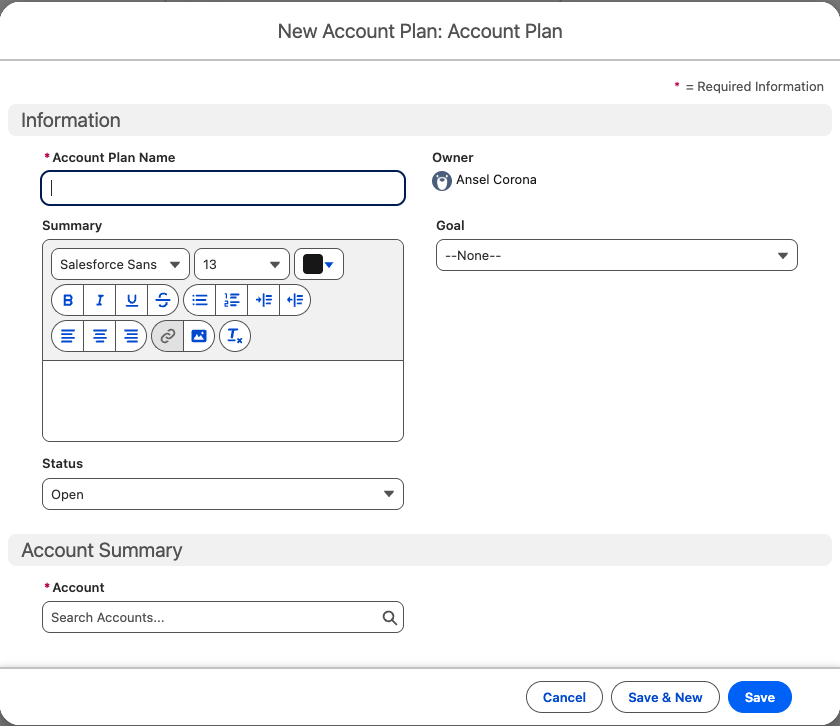
- Click New.
- Set:
- Account — required. The Salesforce Account.
- Account Plan Name
- Summary — a short bet for this period
- Status — Open (default) or Closed
- Goal — Win, Maintain, Save, or Grow
- Save.
After save you should see the plan and an Account Plan Score. A new plan scoring low is expected.
What to fill first
Do not try to finish a 60-point plan in one sitting. In this order:
- Team members — people who must see the plan. Plans are private. If you skip this, your manager cannot open it. Add them on the plan as Edit or View.
- Objectives — three to seven measurable goals. More than ten is usually a task list, not a strategy.
- SWOT — Strengths, Weaknesses, Opportunities, Threats. Empty SWOT is the section teams skip most, and it pulls the score down.
- Key stakeholders — a short list (about 5–15), not the whole committee.
- Relationship Map — the full buying committee. Create your first Relationship Map.
- Cross-Sell Map — whitespace once the plan exists. Use the Cross-Sell Map.
Key Dates and Opportunities also feed the score. Add them when you have the data.
How to read the score on day one
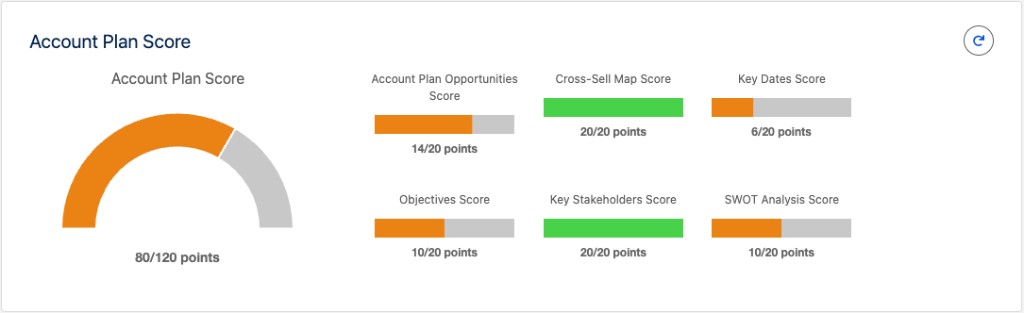
The Account Plan Score is plan completeness, not account health. The default total is 60 (six components × 10): Opportunities, Cross-Sell, Key Dates, Objectives, Key Stakeholders, SWOT. Colors are set by your admin. Your org may show a different total if an admin changed scoring.
Portfolio or parent accounts
If this Account is a parent with several planned subsidiaries, ask your admin whether Master Account Plans are in use. That is a later article. Your first plan should still be one Account.